
S3 storage
Ghaymah S3 storage is managed, S3-compatible object storage. Create a bucket to hold
objects, then mint an access key scoped to that bucket and read/write from any S3-compatible
tool or SDK (AWS CLI, boto3, aws-sdk-go, mc, and more).
Buckets and keys
Section titled “Buckets and keys”- Bucket — a container for objects with a size quota.
- Key (access key) — credentials (
access_key_id+secret_access_key) with fine-grained permissions, scoped to one or more buckets.
Each bucket has an alias (a friendly name) and an endpoint you point your S3 client at.
From the dashboard
Section titled “From the dashboard”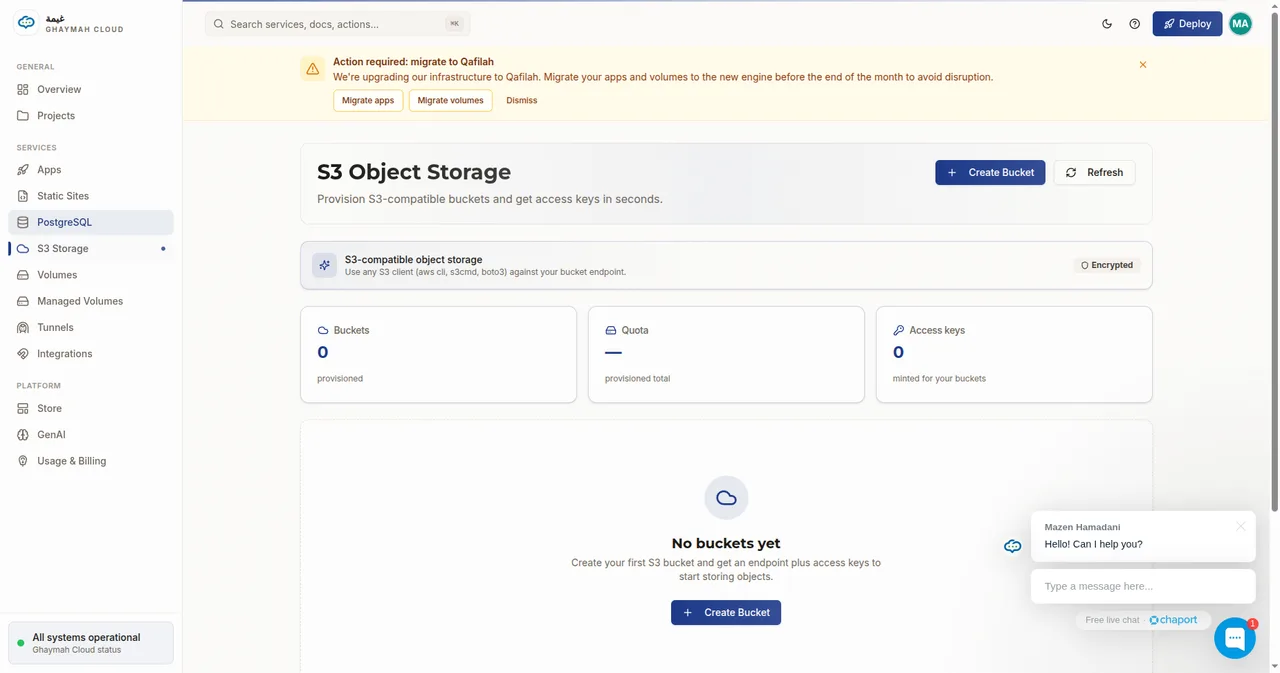
Click Create Bucket, give it a friendly name, and set a max size:
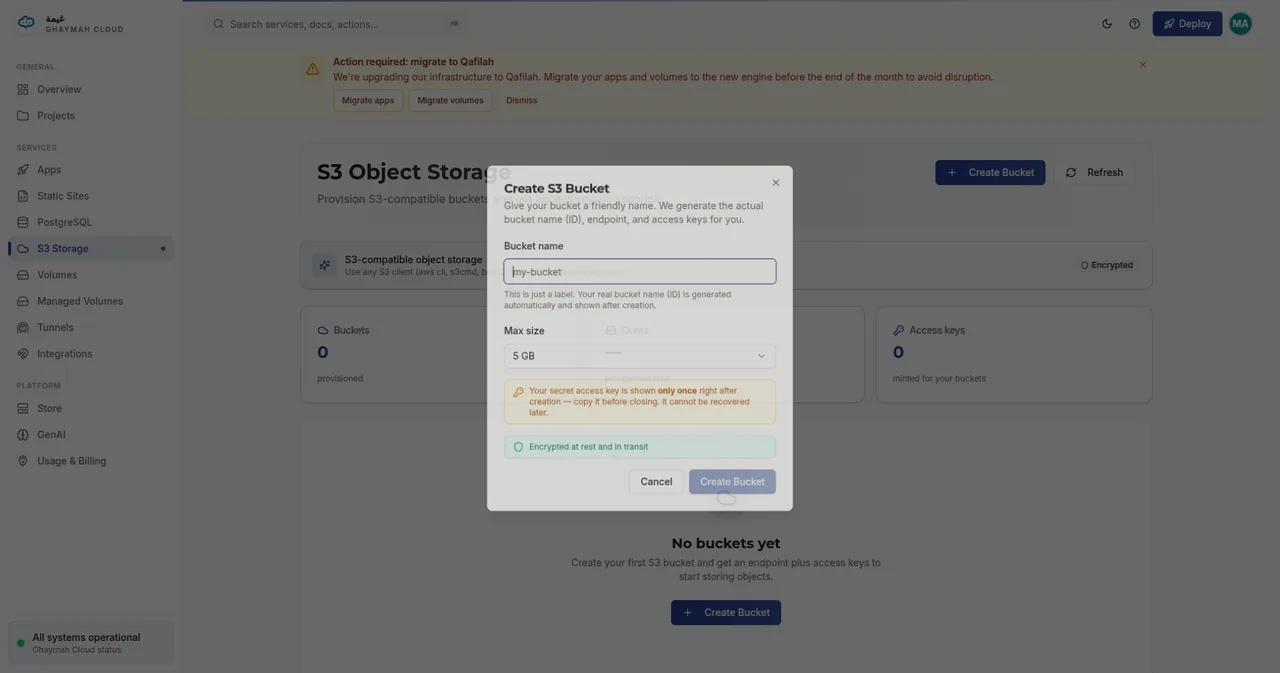
Permissions model
Section titled “Permissions model”Every access key carries three booleans:
| Permission | Allows |
|---|---|
read |
Download and list objects |
write |
Upload, overwrite, and delete objects |
owner |
Full control, including bucket metadata |
A read-only key for a public website looks like { "read": true, "write": false, "owner": false }.
A key for a service that uploads files uses { "read": true, "write": true }.
Creating a bucket
Section titled “Creating a bucket”curl -X POST https://api.cumin.dev/s3/buckets \ -H "Authorization: Bearer $TOKEN" \ -H "Content-Type: application/json" \ -d '{ "project_id": "…", "max_size": 5368709120, "description": "user uploads" }'max_size is the quota in bytes (the example above is 5 GB). The response includes the bucket
id; the generated alias and endpoint appear when you list buckets.
Creating an access key
Section titled “Creating an access key”curl -X POST https://api.cumin.dev/s3/keys \ -H "Authorization: Bearer $TOKEN" \ -H "Content-Type: application/json" \ -d '{ "project_id": "…", "bucket_ids": ["<bucket-id>"], "permissions": { "read": true, "write": true, "owner": false } }'Using the bucket
Section titled “Using the bucket”Point any S3-compatible client at the bucket’s endpoint with your key credentials:
import boto3
s3 = boto3.client(    "s3",    endpoint_url="https://<bucket-endpoint>",    aws_access_key_id="<access_key_id>",    aws_secret_access_key="<secret_access_key>",)
s3.upload_file("photo.jpg", "<bucket-alias>", "uploads/photo.jpg")# With the AWS CLI, set the endpoint and credentials via env varsexport AWS_ENDPOINT_URL_S3="https://<bucket-endpoint>"export AWS_ACCESS_KEY_ID="<access_key_id>"export AWS_SECRET_ACCESS_KEY="<secret_access_key>"aws s3 cp photo.jpg s3://<bucket-alias>/uploads/photo.jpgFrom inside an app
Section titled “From inside an app”Your app can read and write to S3 by setting the same S3-compatible environment variables
(AWS_ACCESS_KEY_ID, AWS_SECRET_ACCESS_KEY, AWS_ENDPOINT_URL_S3 or AWS_ENDPOINT_URL),
either directly or via Secrets.
Next steps
Section titled “Next steps”- S3 API reference — every endpoint and field
- Volumes — file storage that mounts directly into an app’s filesystem
- Secrets — store credentials safely