
Apps
An app is a running container: an image, some CPU and memory, one or more ports, and optionally environment variables and mounted volumes. Every app gets an auto-assigned public URL, so the moment it’s healthy you can reach it from the internet.
This page explains the app model. For the CLI workflow, see Deploying your app. For the exact HTTP endpoints, see the Apps API reference.
From the dashboard
Section titled “From the dashboard”Deploy an app in three steps — no Docker knowledge required.
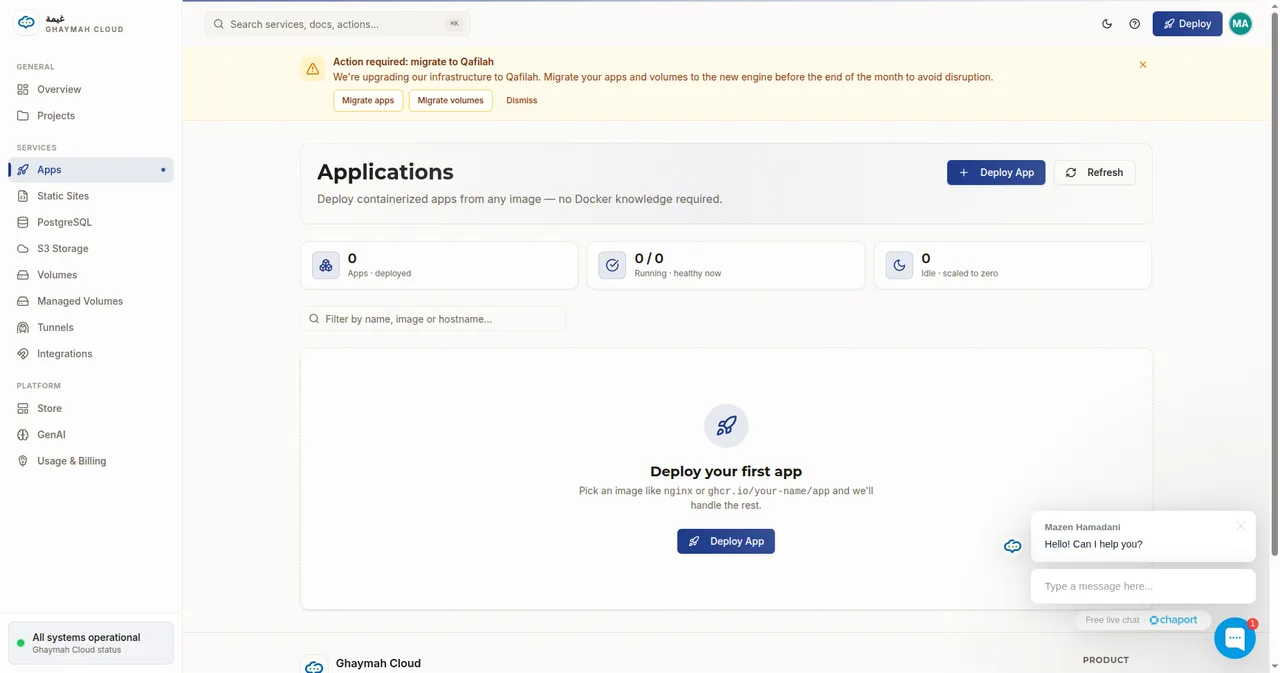
Click Deploy App and pick a name and container image:
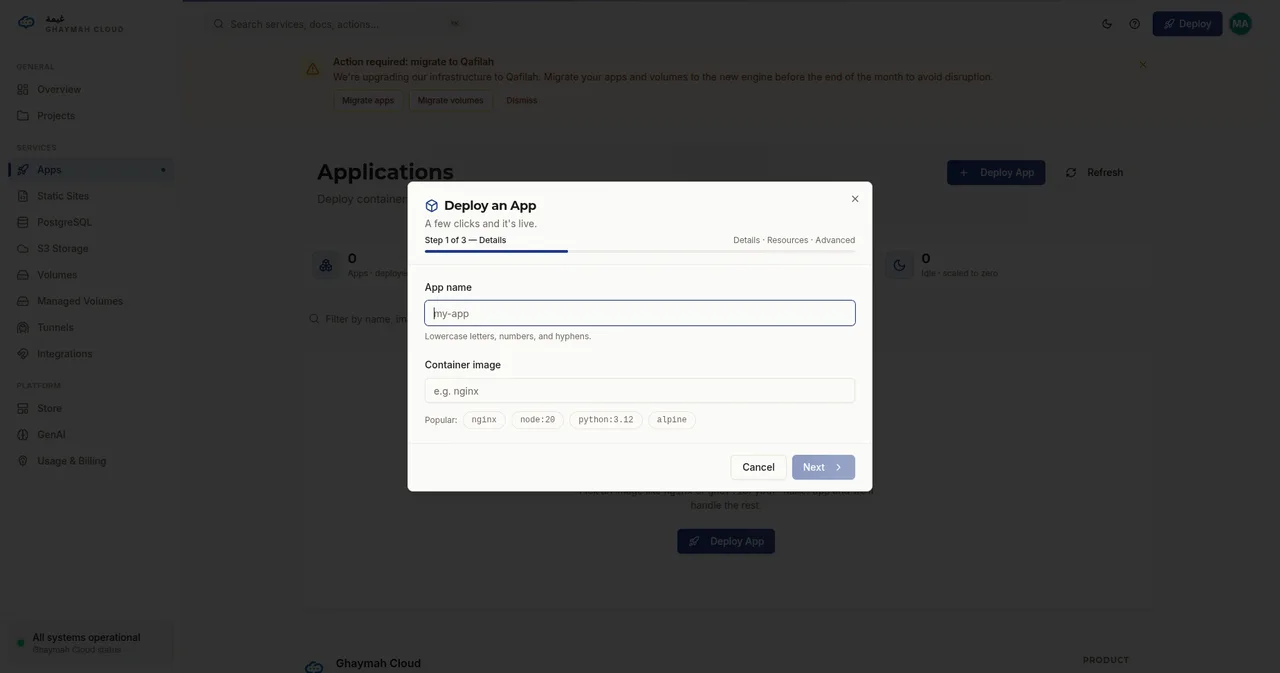
Choose a size and how many instances to run:
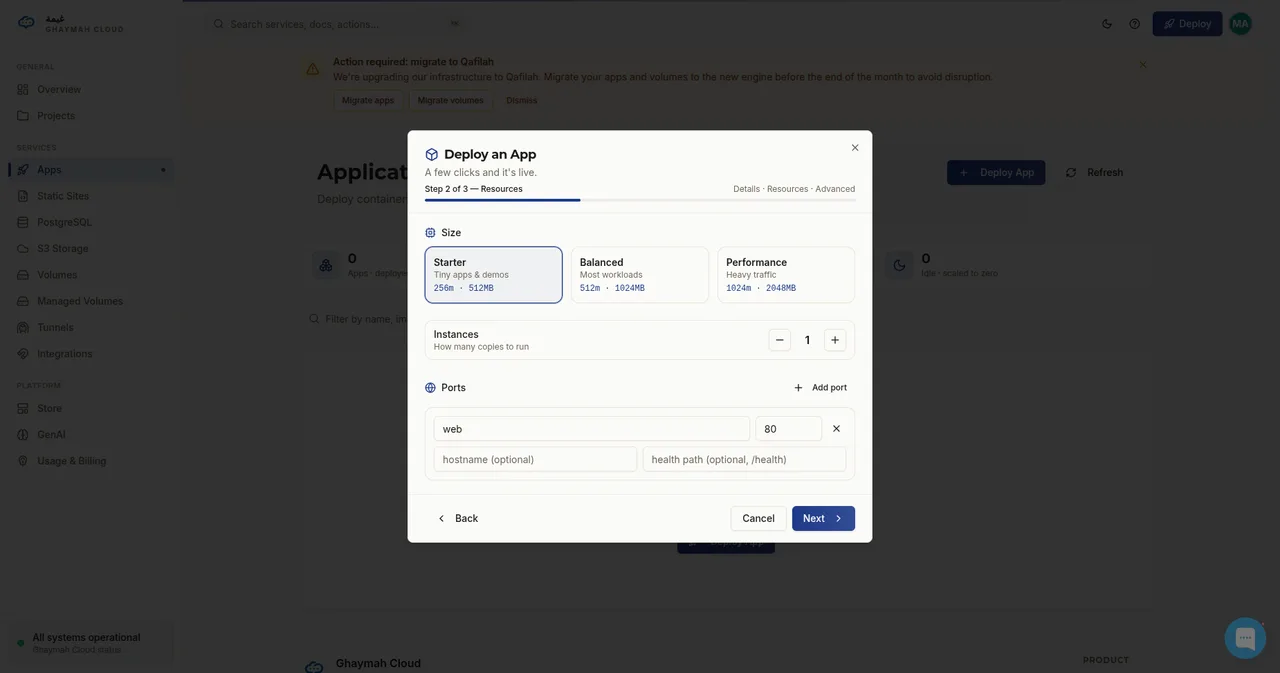
Add environment variables, volumes, labels, and registry credentials (all optional):
What an app is made of
Section titled “What an app is made of”| Field | Meaning | Example |
|---|---|---|
name |
Friendly name (lowercase letters, numbers, hyphens) | my-api |
image |
Container image to run | docker.io/nginx:latest |
ports |
Ports exposed by the container | [{ name: "web", number: 80 }] |
env |
Environment variables injected at runtime | DATABASE_URL, NODE_ENV |
mounts |
Volumes mounted into the container | [{ volume_id, path: "/data" }] |
cpu / memory |
Resource allocation (millicores / MB) | 256 / 512 |
instances |
How many replicas to run | 1 |
hibernated |
Sleep the app and release resources | false |
Creating an app
Section titled “Creating an app”With the CLI, one command:
gy deploy --name my-api --port 3000With the REST API:
{ "project_id": "…", "name": "my-api", "image": "docker.io/nginx:latest", "ports": [{ "name": "web", "number": 80 }], "env": [{ "name": "NODE_ENV", "value": "production" }], "cpu": 256, "memory": 512, "instances": 1, "hibernated": false}curl -X POST https://api.cumin.dev/apps \ -H "Authorization: Bearer $TOKEN" \ -H "Content-Type: application/json" \ -d '{ "project_id": "…", "name": "my-api", "image": "docker.io/nginx:latest", "ports": [{ "name": "web", "number": 80 }], "cpu": 256, "memory": 512, "instances": 1, "hibernated": false }'Ports and URLs
Section titled “Ports and URLs”Each port can expose a public hostname. Ghaymah auto-assigns a URL in the form
https://{name}-{port}-{hash}.hosted.ghaymah.systems (or a .hosted.cumin.dev equivalent),
so you don’t need to configure DNS to get started. Attach a custom domain
when you’re ready for production.
Health checks
Section titled “Health checks”You can attach a health check to any port so the platform knows when your app is ready:
{ "ports": [ { "name": "web", "number": 80, "health": { "path": "/healthz", "interval": 10, "timeout": 5 } } ]}The app reports a status (running, error, failed, …) that reflects its health and
readiness.
Hibernation
Section titled “Hibernation”Set hibernated: true to put an app to sleep and release its resources while keeping its
configuration. Wake it by setting hibernated: false — a cheap way to pause side projects
you’re not actively using.
Volumes and environment
Section titled “Volumes and environment”- Mount a volume to persist files across restarts — see Volumes.
- Inject secrets as environment variables or use the secrets API — see Secrets.
- Connect to a database by pointing
DATABASE_URLat a managed PostgreSQL instance.
Lifecycle at a glance
Section titled “Lifecycle at a glance”create ──▶ provisioning ──▶ running ──▶ (scale / update / hibernate) ──▶ delete │ └── error / failed (read the logs to debug)Stream logs any time:
gy logs my-apiOr via the API: GET /logs/{app_id}?max=100.
Next steps
Section titled “Next steps”- Deploying your app — the full
gy deployworkflow - Apps API reference — every endpoint and field
- Volumes — attach persistent storage