
Volumes
A volume is a block of persistent storage you can mount into one or more apps at a specific path. Anything written there survives restarts, re-deploys, and hibernation — unlike the app’s own container filesystem, which is recreated on every deploy.
From the dashboard
Section titled “From the dashboard”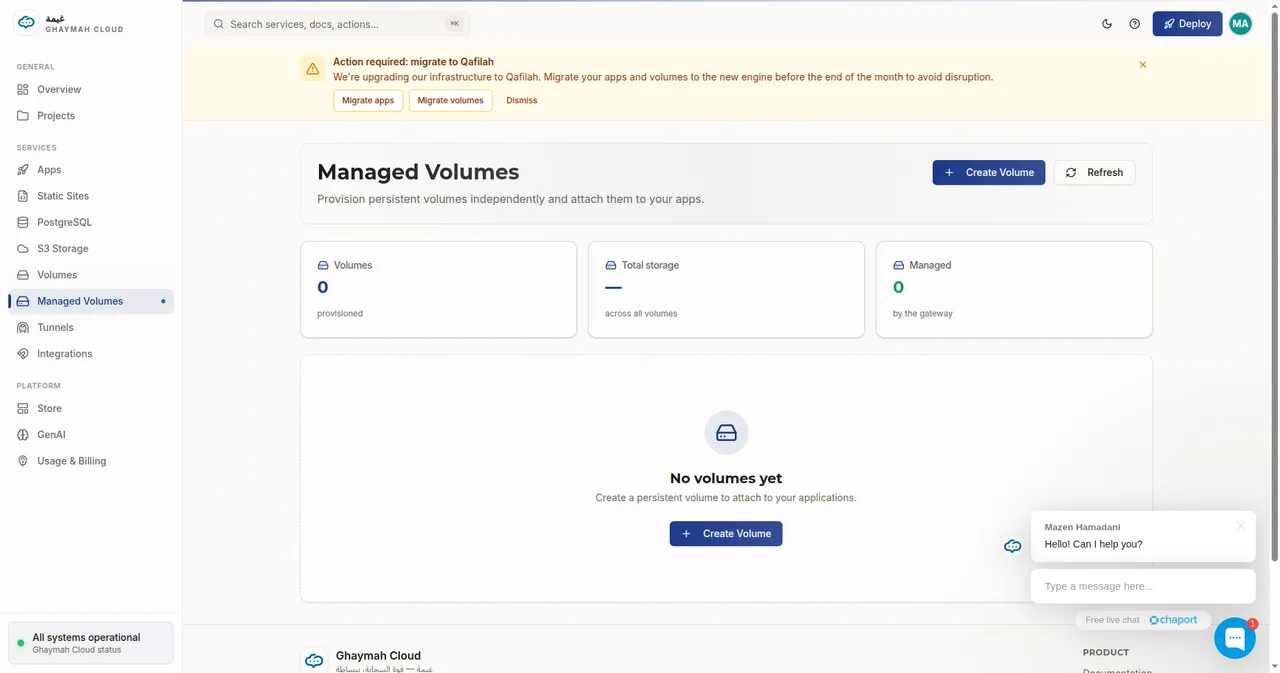
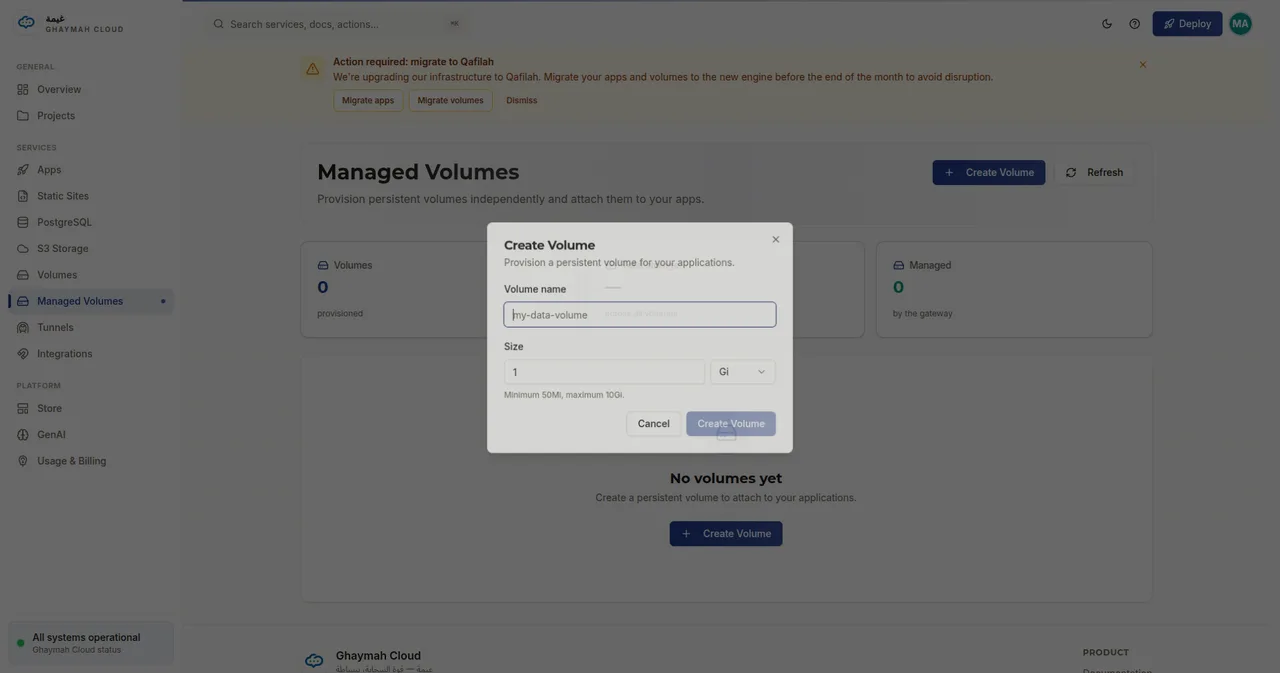
Click Create Volume, name it, and choose a size (between 50 Mi and 10 Gi):
When to use a volume
Section titled “When to use a volume”| Use a volume for… | Use S3 for… |
|---|---|
| Databases and files that need a real filesystem | Large blobs, uploads, static assets |
| App state that must survive a restart | Objects accessed over HTTP/S3 API |
| Low-latency, direct file access | Sharing files across many apps or users |
Creating a volume
Section titled “Creating a volume”curl -X POST https://api.cumin.dev/volumes \ -H "Authorization: Bearer $TOKEN" \ -H "Content-Type: application/json" \ -d '{ "project_id": "…", "name": "app-data", "size": 10737418240 }'size is in bytes — the example above is 10 GB. The response returns the volume id, which
you use when mounting it into an app.
Mounting a volume into an app
Section titled “Mounting a volume into an app”Add the volume to an app’s mounts list, specifying the container path:
{ "project_id": "…", "name": "my-api", "image": "docker.io/nginx:latest", "ports": [{ "name": "web", "number": 80 }], "mounts": [{ "volume_id": "<volume-id>", "path": "/data" }], "cpu": 256, "memory": 512, "instances": 1, "hibernated": false}Files written to /data inside the container now persist on the volume.
Listing volumes
Section titled “Listing volumes”curl https://api.cumin.dev/volumes \ -H "Authorization: Bearer $TOKEN"Deleting a volume
Section titled “Deleting a volume”curl -X DELETE https://api.cumin.dev/volumes/<volume-id> \ -H "Authorization: Bearer $TOKEN"Volumes and managed PostgreSQL
Section titled “Volumes and managed PostgreSQL”Managed PostgreSQL instances are backed by a volume too — you pass a volume_id when creating
a database. See Managed PostgreSQL for details.
Next steps
Section titled “Next steps”- Volumes API reference — every endpoint and field
- Apps — see how mounts fit into the app model
- Managed PostgreSQL — a database on a volume