
GenAI
Ghaymah GenAI is a hosted inference API that puts multiple frontier models behind a single OpenAI-compatible endpoint. You get one base URL and one API key, and switch models by changing a single field — no new SDK, no new URL, no per-model setup.
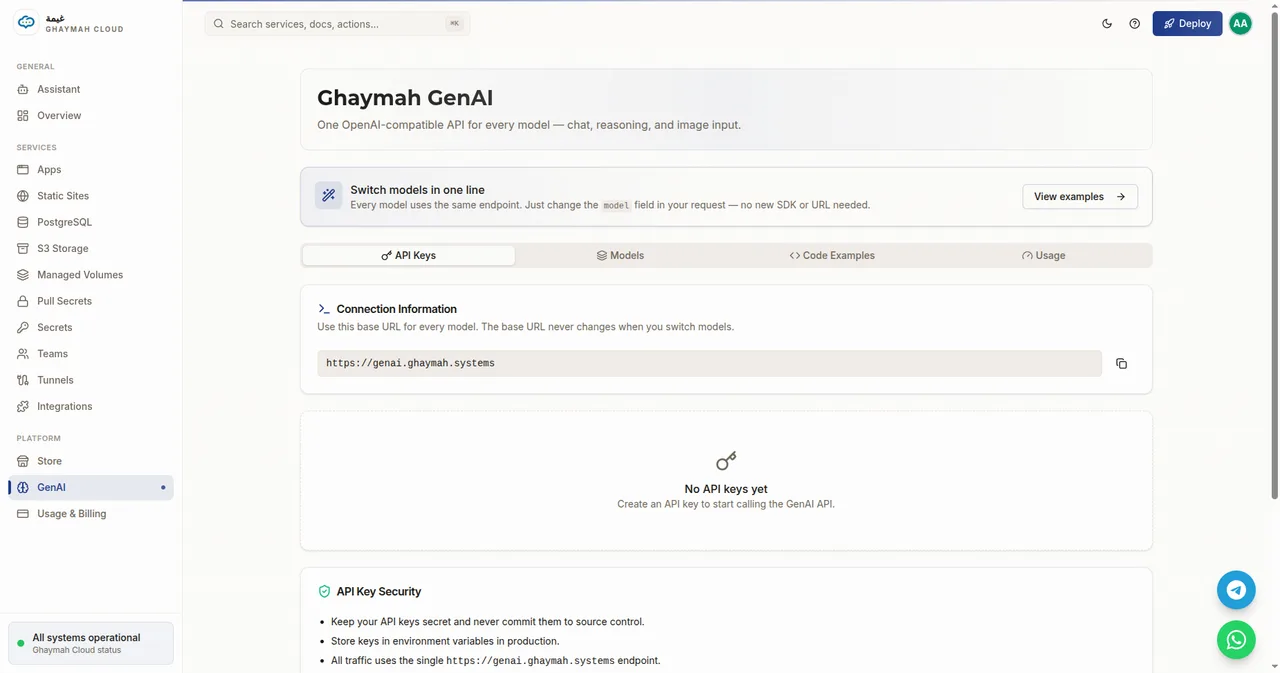
Connection information
Section titled “Connection information”| Setting | Value |
|---|---|
| Base URL | https://genai.ghaymah.systems |
| Auth | Authorization: Bearer <api-key> |
| Endpoint | POST /v1/chat/completions |
| Protocol | OpenAI-compatible (Chat Completions) |
The base URL never changes when you switch models. Grab an API key from the API Keys tab in the dashboard, then set the model name in your request.
Models
Section titled “Models”| Model | Multimodal | Context | Notes |
|---|---|---|---|
Kimi-K3 |
✅ image input | 1M tokens | Moonshot AI flagship — long-context reasoning |
DeepSeek-V4-Flash |
— | 1M tokens | Fast MoE model for low-latency text inference |
GLM-5.3-Flash |
— | 1M tokens | Zhipu AI flash reasoning — strong logic & math |
gemma-4-31B-it |
✅ image input | 256K tokens | Google’s lightweight open model |
Models marked Multimodal also accept image input alongside text.
Quick start
Section titled “Quick start”curl https://genai.ghaymah.systems/v1/chat/completions \ -H "Authorization: Bearer $GHAYMAH_API_KEY" \ -H "Content-Type: application/json" \ -d '{ "model": "Kimi-K3", "messages": [ {"role": "user", "content": "Explain AI in simple terms"} ] }'Python (OpenAI SDK)
Section titled “Python (OpenAI SDK)”import osfrom openai import OpenAI
client = OpenAI( api_key=os.environ.get("GHAYMAH_API_KEY", "PASTE_YOUR_KEY_HERE"), base_url="https://genai.ghaymah.systems",)
response = client.chat.completions.create( model="Kimi-K3", messages=[ {"role": "user", "content": "Explain AI in simple terms"} ],)
print(response.choices[0].message.content)Image input (multimodal models)
Section titled “Image input (multimodal models)”For Kimi-K3 and gemma-4-31B-it, include images as content parts:
response = client.chat.completions.create( model="Kimi-K3", messages=[ { "role": "user", "content": [ {"type": "text", "text": "What's in this image?"}, {"type": "image_url", "image_url": {"url": "https://example.com/photo.jpg"}}, ], } ],)Usage & keys
Section titled “Usage & keys”- API Keys — create and revoke keys in the dashboard. Keys are shown once; store them securely.
- Usage — the dashboard’s Usage tab tracks your GenAI consumption, metered like the rest of the platform.