
Secrets
Ghaymah secrets let you store sensitive data — API keys, database passwords, tokens — so it
never has to live in your source code, your .gy.json, or your deploy logs. There are two kinds:
| Kind | Use for | Endpoint |
|---|---|---|
| Key/value secret | Any sensitive string (API key, token, password) | /secrets |
| Pull secret | Credentials for private container registries | /secrets/pull |
From the dashboard
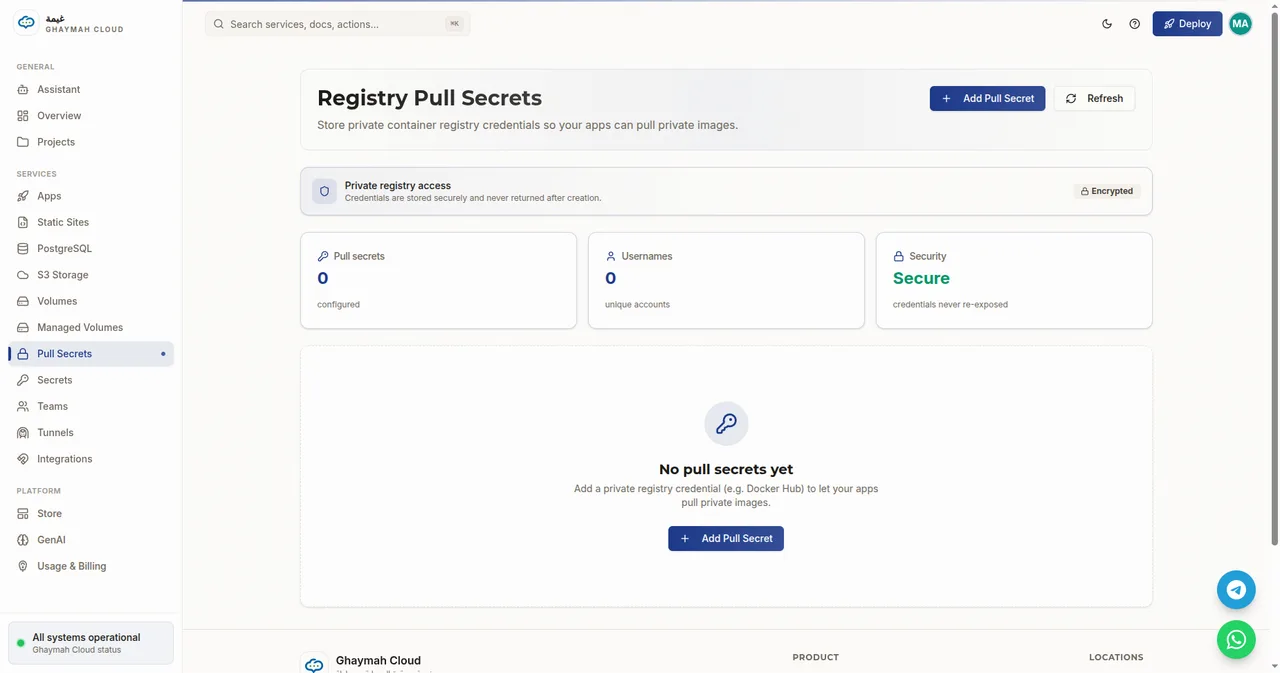
Section titled “From the dashboard”Both kinds have their own page in the dashboard, under Services → Secrets and Services → Pull Secrets.
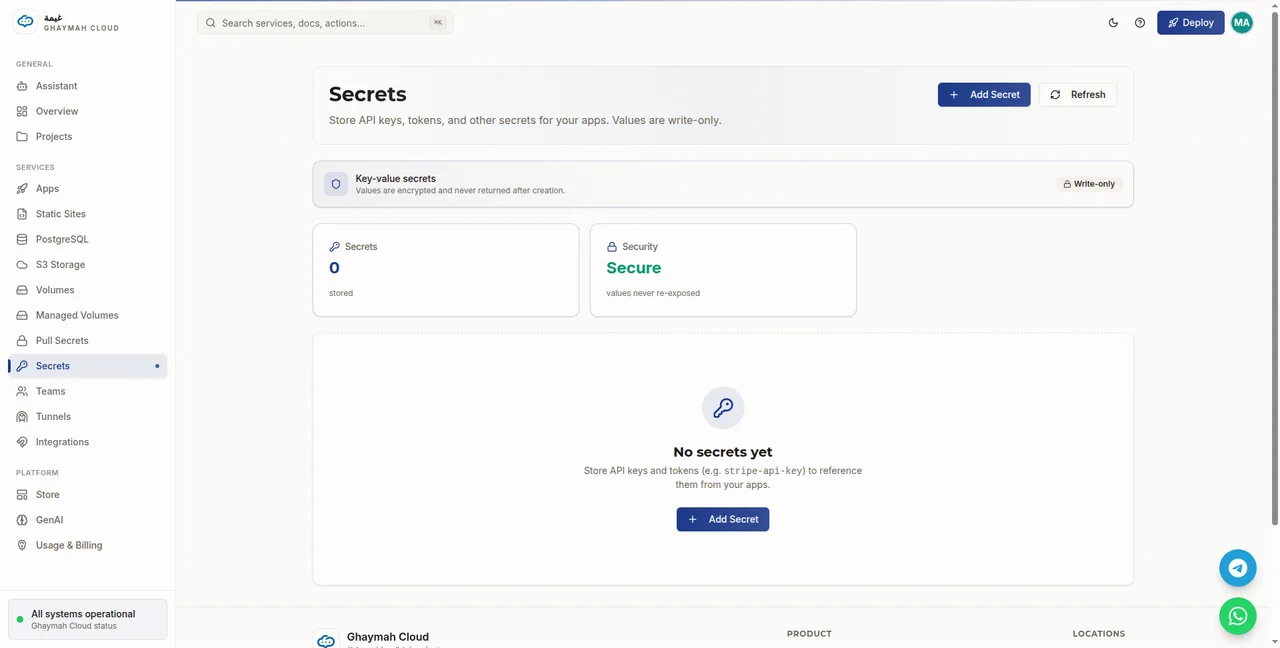
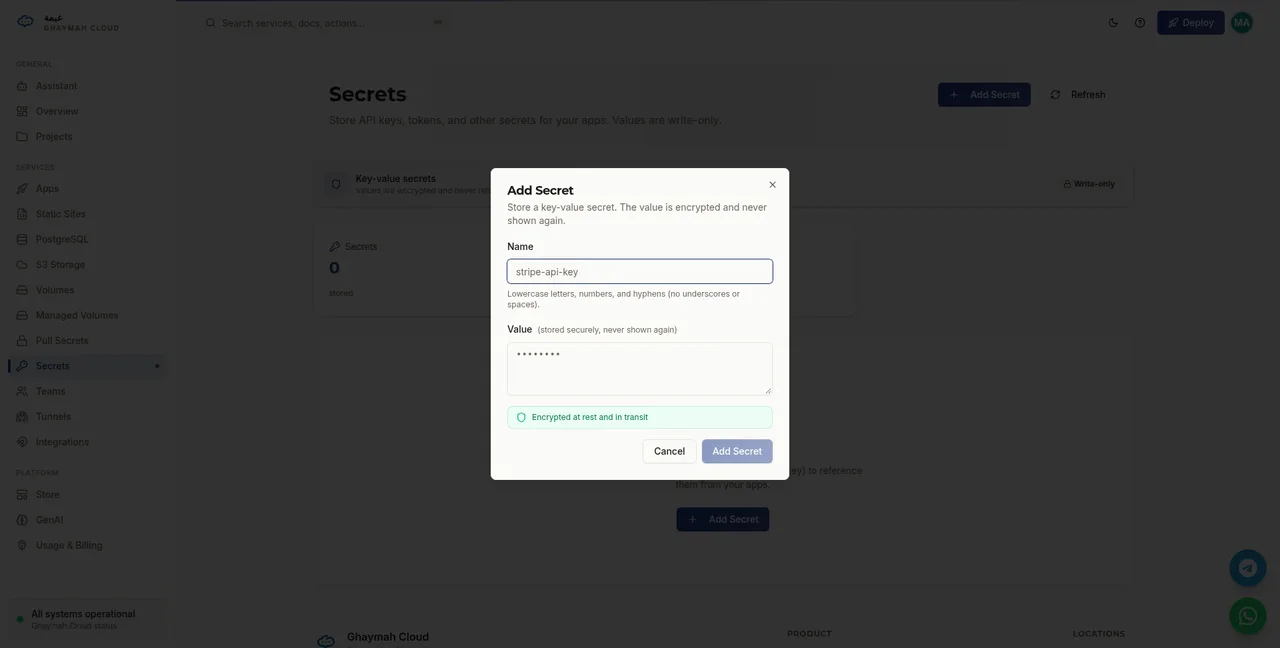
Click Add Secret, give it a name, and paste the value:
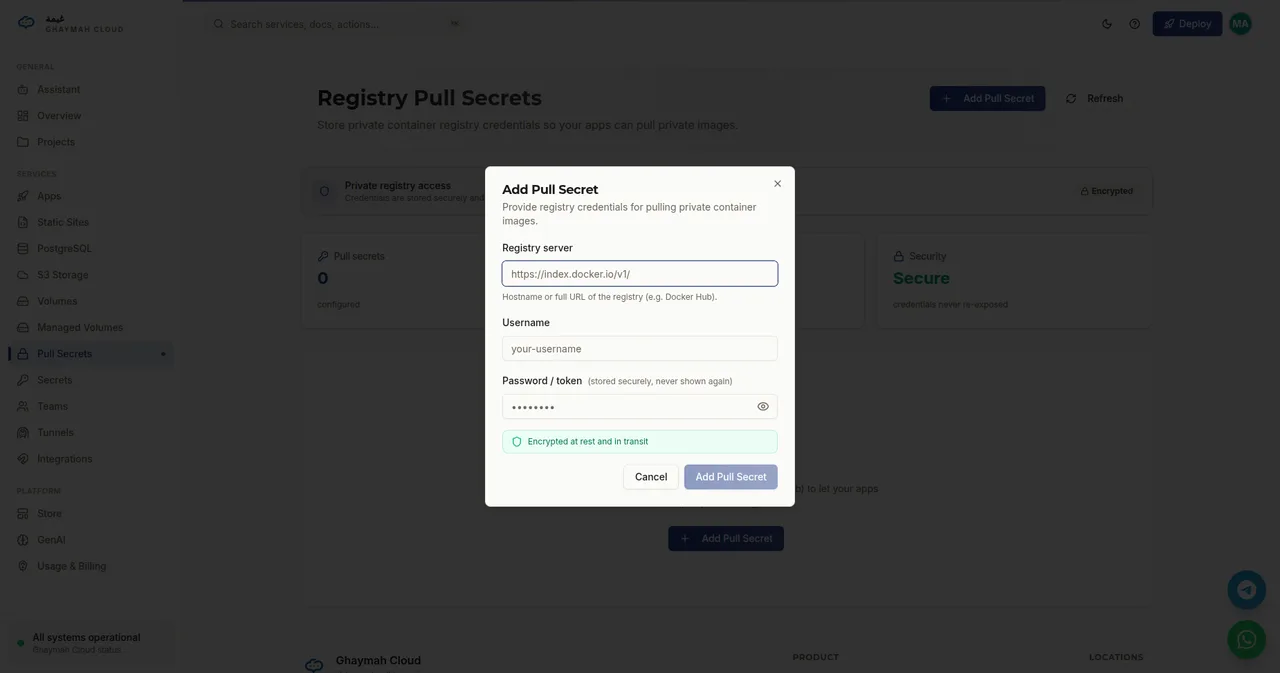
For private registry credentials, use Pull Secrets:
Key/value secrets
Section titled “Key/value secrets”A secret has a name and a value. The value must be base64-encoded when you create it,
and it is never returned by the API after creation — you can list names, but not values.
Common things to store as key/value secrets:
- API keys — Stripe, OpenAI, SendGrid, Resend, and similar services.
- Database credentials — your managed PostgreSQL password or full connection URL.
- JWT / signing secrets — keys your app uses to sign and verify tokens.
- Webhook secrets — signing keys for services like Stripe or GitHub.
Secrets differ from environment variables in two important ways: secret values are encrypted and write-only, so they can’t be read back or leaked through config listings. Env vars are visible in your app’s configuration; secrets are not.
Creating a secret
Section titled “Creating a secret”# Encode the value firstecho -n "sk_live_1234567890abcdef" | base64# c2tfbGl2ZV8xMjM0NTY3ODkwYWJjZGVm
curl -X POST https://api.cumin.dev/secrets \ -H "Authorization: Bearer $TOKEN" \ -H "Content-Type: application/json" \ -d '{ "project_id": "…", "name": "api-key", "value": "c2tfbGl2ZV8xMjM0NTY3ODkwYWJjZGVm" }'import base64value = base64.b64encode(b"sk_live_1234567890abcdef").decode()# "c2tfbGl2ZV8xMjM0NTY3ODkwYWJjZGVm"Listing secrets
Section titled “Listing secrets”curl https://api.cumin.dev/secrets \ -H "Authorization: Bearer $TOKEN"The response returns each secret’s id and name — never the value.
Updating and deleting
Section titled “Updating and deleting”# Update (requires the secret id)curl -X PUT https://api.cumin.dev/secrets \ -H "Authorization: Bearer $TOKEN" \ -H "Content-Type: application/json" \ -d '{ "id": "<secret-id>", "name": "api-key", "value": "<new-base64-value>" }'
# Deletecurl -X DELETE https://api.cumin.dev/secrets/<secret-id> \ -H "Authorization: Bearer $TOKEN"Pull secrets
Section titled “Pull secrets”A pull secret stores credentials for a private container registry so your apps can pull
private images. It has a server, username, and password.
You only need one for private images. Public images — nginx, node, python, alpine,
and anything on Docker Hub that doesn’t require authentication — pull without any credentials.
Registry reference
Section titled “Registry reference”Every registry uses a slightly different server URL and credential scheme:
| Registry | server |
username |
password |
|---|---|---|---|
| Docker Hub | https://index.docker.io/v1/ |
Your Docker Hub username | A personal access token (not your account password) |
| GitHub Container Registry | https://ghcr.io |
Your GitHub username | A GitHub PAT with read:packages scope |
| GitLab Container Registry | https://registry.gitlab.com |
Your GitLab username | A PAT with read_registry scope |
| Google Artifact Registry | https://gcr.io |
oauth2accesstoken or _json_key |
An OAuth token, or a service-account JSON key |
| AWS Elastic Container Registry | https://<account>.dkr.ecr.<region>.amazonaws.com |
AWS |
Output of aws ecr get-login-password |
| Azure Container Registry | https://<name>.azurecr.io |
Registry name or service principal | ACR password / token |
| Quay.io | https://quay.io |
Your Quay username | A robot-account token |
| Self-hosted (Harbor, registry) | https://registry.your-company.com |
Your registry username | Your registry password / token |
Example — Docker Hub
Section titled “Example — Docker Hub”Create a pull secret for a private Docker Hub image:
curl -X POST https://api.cumin.dev/secrets/pull \ -H "Authorization: Bearer $TOKEN" \ -H "Content-Type: application/json" \ -d '{ "project_id": "…", "server": "https://index.docker.io/v1/", "username": "your-docker-user", "password": "your-docker-access-token" }'Example — GitHub Container Registry
Section titled “Example — GitHub Container Registry”- Create a GitHub personal access token with the
read:packagesscope. - Store it as a pull secret:
curl -X POST https://api.cumin.dev/secrets/pull \ -H "Authorization: Bearer $TOKEN" \ -H "Content-Type: application/json" \ -d '{ "project_id": "…", "server": "https://ghcr.io", "username": "your-github-username", "password": "github_pat_…" }'- Deploy an app that uses a private image from
ghcr.io/your-name/private-image:latest:
{ "project_id": "…", "name": "private-app", "image": "ghcr.io/your-name/private-image:latest", "pull_secret_id": "<pull-secret-id>", "ports": [{ "name": "web", "number": 80 }], "cpu": 256, "memory": 512, "instances": 1, "hibernated": false}Example — AWS Elastic Container Registry
Section titled “Example — AWS Elastic Container Registry”ECR tokens expire every 12 hours, so rotate this pull secret regularly:
AWS_PASSWORD=$(aws ecr get-login-password --region us-east-1)
curl -X POST https://api.cumin.dev/secrets/pull \  -H "Authorization: Bearer $TOKEN" \  -H "Content-Type: application/json" \  -d "{    \"project_id\": \"…\",    \"server\": \"https://123456789012.dkr.ecr.us-east-1.amazonaws.com\",    \"username\": \"AWS\",    \"password\": \"$AWS_PASSWORD\"  }"
Using a pull secret on an app
Section titled “Using a pull secret on an app”Pass the pull secret’s id as pull_secret_id when creating or updating an app (shown in the
examples above). Once set, the app can pull any private image from that registry.
Best practices
Section titled “Best practices”- Never commit secrets to source control or
.gy.json. - Rotate secrets regularly by updating them with a new value.
- Scope S3 access keys to the minimum permissions needed — see S3 storage.
- For app environment variables that aren’t highly sensitive, plain environment variables are fine; use secrets for anything that must stay encrypted and out of config files.
Next steps
Section titled “Next steps”- Secrets API reference — every endpoint and field
- S3 storage — scoped access keys are a kind of secret
- Environment variables — configure apps with
gy config